PairDesk

Your phone is the remote for your computer.

Touchpad, keyboard, the screen in your hand, files and clipboard both ways. Pair once with a code, then just open the app. Free, open source, no account.

For Windows 10/11 and Linux (GNOME, KDE, X11) · Android phone

Set up in three steps

About two minutes, no settings to fiddle with.

Install it on your computer

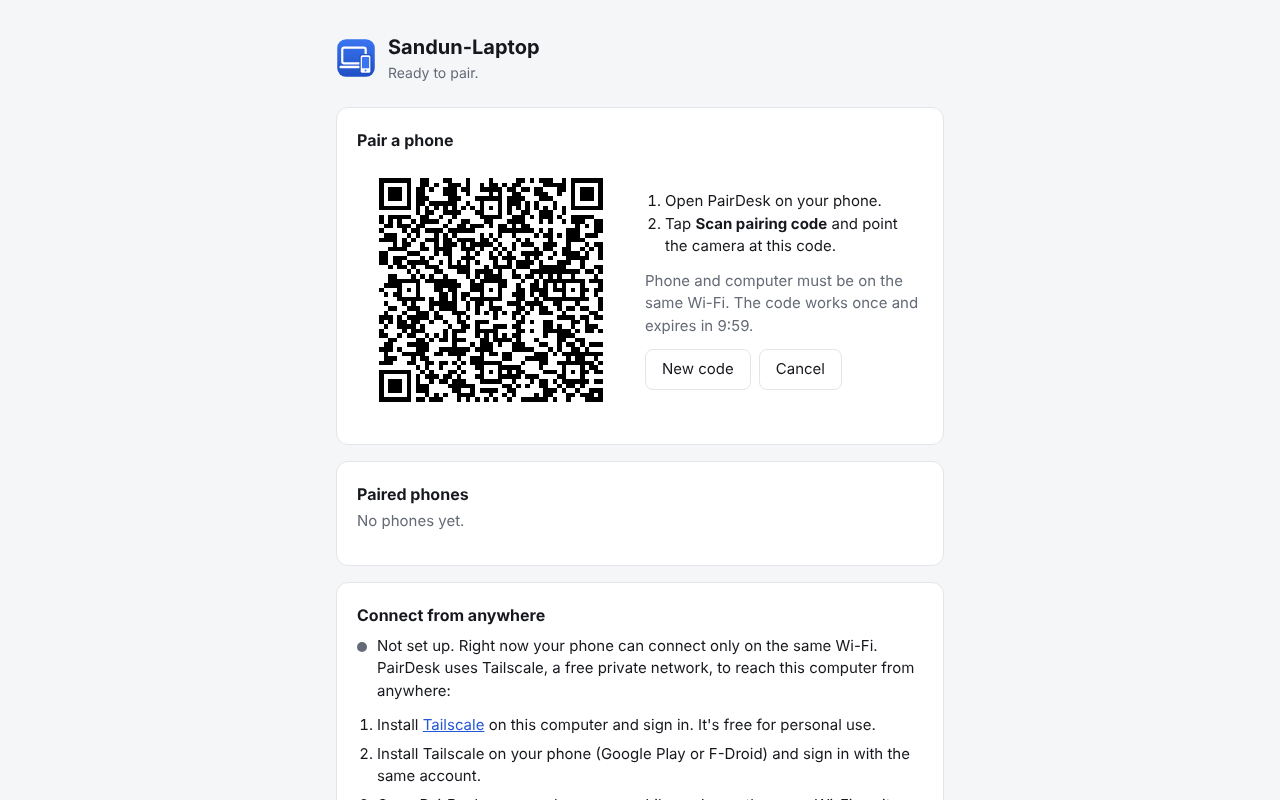
Run the Windows setup or install the Linux package. PairDesk starts and shows a pairing code.

Get the phone app

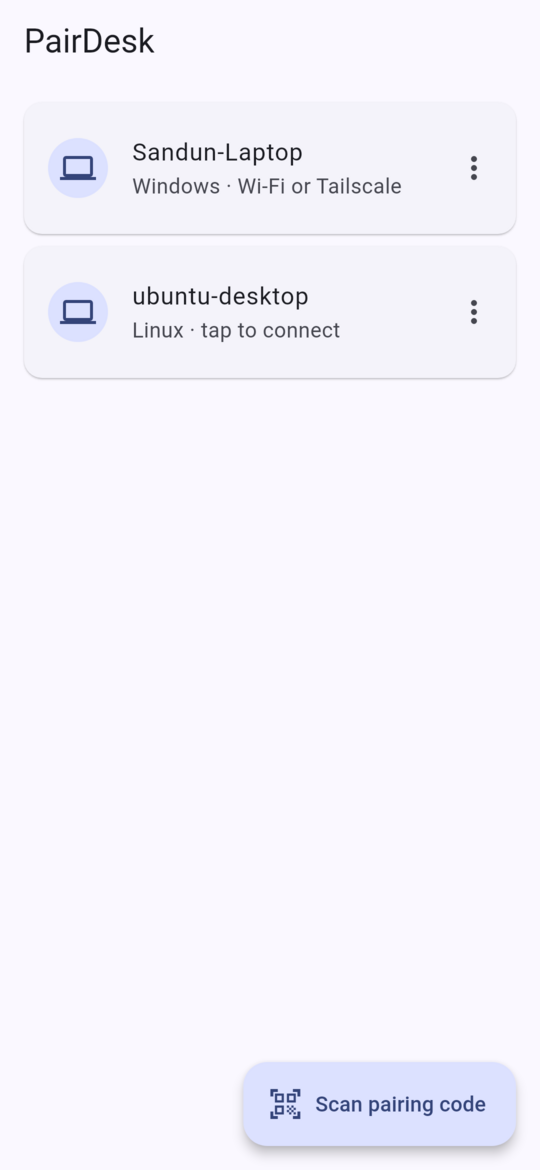
Install PairDesk on your Android phone and tap Scan pairing code.

Scan, and you're in

Point the camera at the code. From then on the app connects whenever you open it, even after a restart.

PairDesk on the computer showing a pairing code

Download

PairDesk updates itself on the computer. The phone app tells you when a new version is out.

Windows

Windows 10 or 11, 64-bit. No administrator rights needed.

Or the program file without installing. If Windows SmartScreen warns, choose More info → Run anyway.

Linux

Ubuntu 20.04, Debian 11, Fedora and newer. GNOME and KDE on Wayland or X11.

  • .deb for Ubuntu, Debian, Mint
  • .rpm for Fedora, openSUSE
  • AppImage for any distribution

Android

Android 6 or newer. Coming to F-Droid; until then, download the app here.

Most phones. For older 32-bit phones: armv7. Allow your browser to install apps when Android asks.

All files and checksums: GitHub Releases.

Everything at your fingertips

Present from the back of the room, control the media PC from the sofa, or reach your desktop from anywhere.

Touchpad and keyboard

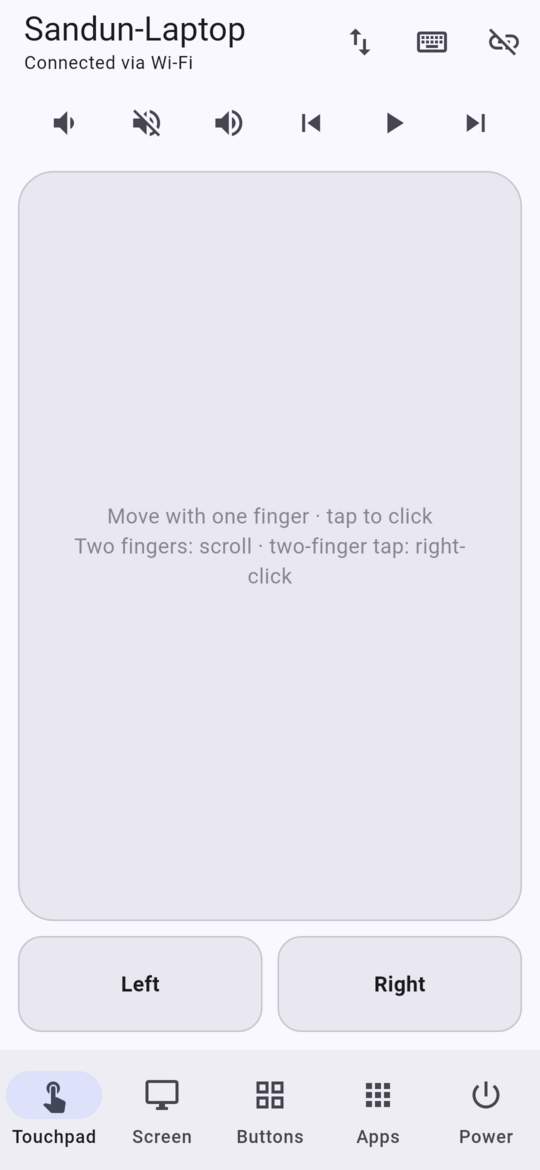
Move, click, drag and scroll with familiar gestures. Type with your phone's keyboard, voice typing included.

The screen in your hand

See the computer's screen and control it like a touchpad: pinch to zoom, tap and drag.

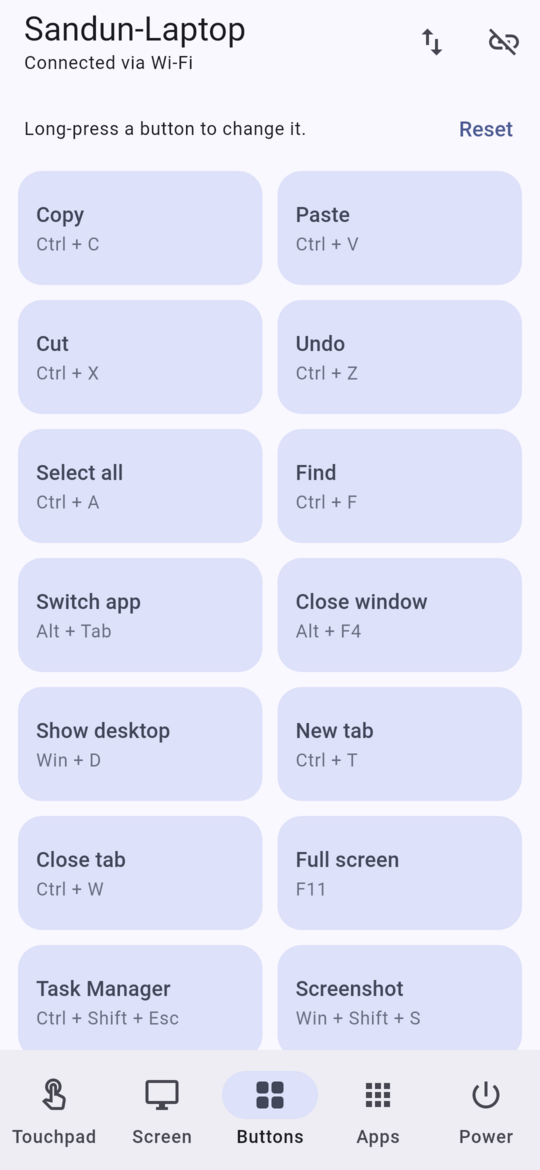
Buttons and apps

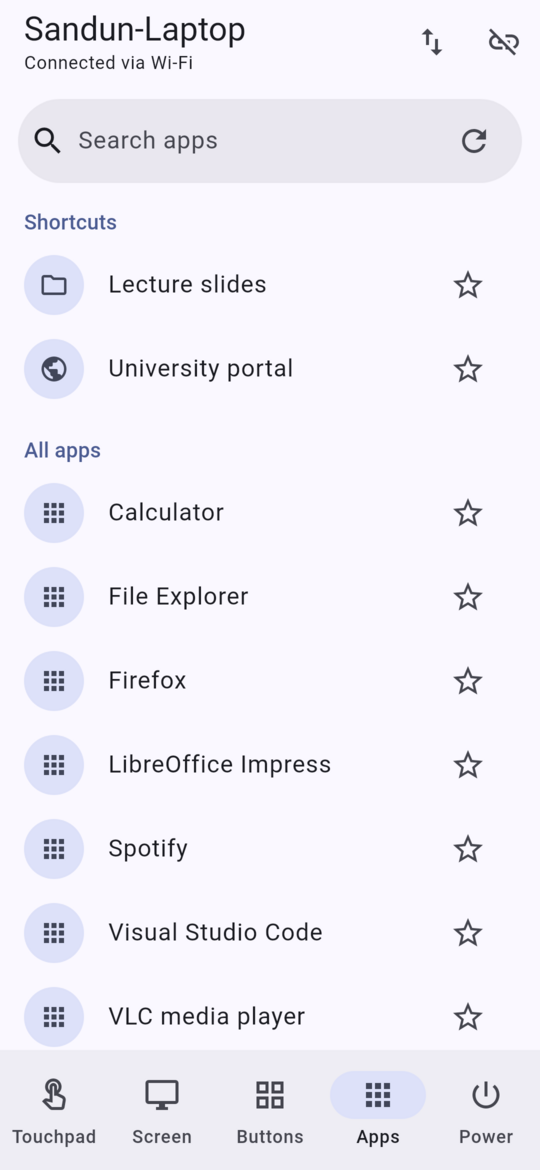
Shortcut buttons you can change, media and volume keys, and the computer's apps one tap away.

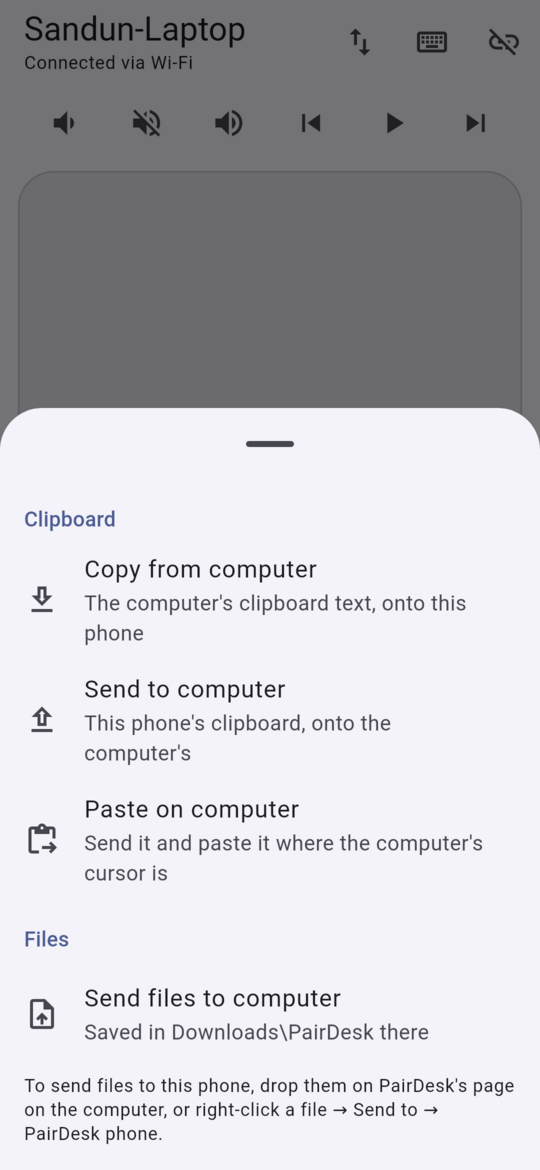
Files and clipboard

Send photos and documents both ways, or Share → PairDesk from any app. Copy on one, paste on the other.

Power

Lock, sleep, turn off the screen, restart or shut down, when you allow it.

From anywhere

On the same Wi-Fi it just works. Add Tailscale (free) to connect from anywhere.
Questions

Is it safe? Could someone else control my computer?

Only phones you paired can connect, and pairing needs the code shown on the computer's screen, which works once and expires in ten minutes. Every connection is encrypted and both sides check each other's keys. On the computer you choose what paired phones may do, and you can remove a phone at any time.

Does my data go through a server?

No. Your phone talks to your computer directly; there is no PairDesk server and no account. See the privacy policy.

Can I use it away from home?

Yes, with Tailscale, a free private network: install it on the computer and the phone and sign in with the same account. PairDesk finds the computer through it by itself.

Windows says the setup is from an unknown publisher.

PairDesk isn't code-signed yet (that's coming through the SignPath Foundation's free signing for open-source projects). Choose More info → Run anyway. You can check the download against SHA256SUMS.txt on the release page.

Wayland asks me to allow remote control.

On GNOME and KDE Wayland the desktop asks once whether PairDesk may share the screen and control the pointer and keyboard. Allow it, and PairDesk keeps the permission so it doesn't ask again after a restart.

iPhone or Mac?

Not yet. PairDesk is Android plus Windows and Linux for now.